Reviving Dell Computer
-
Mayi....i know u say the computer gone case liao, but im here to share some picture, and must help me....
 i tmr will take a log, i hope hijackthis can still run, i also know all ur tools cannot be run by the com liao
btw, can gimme the link with swreg.exe again? that one i haven try....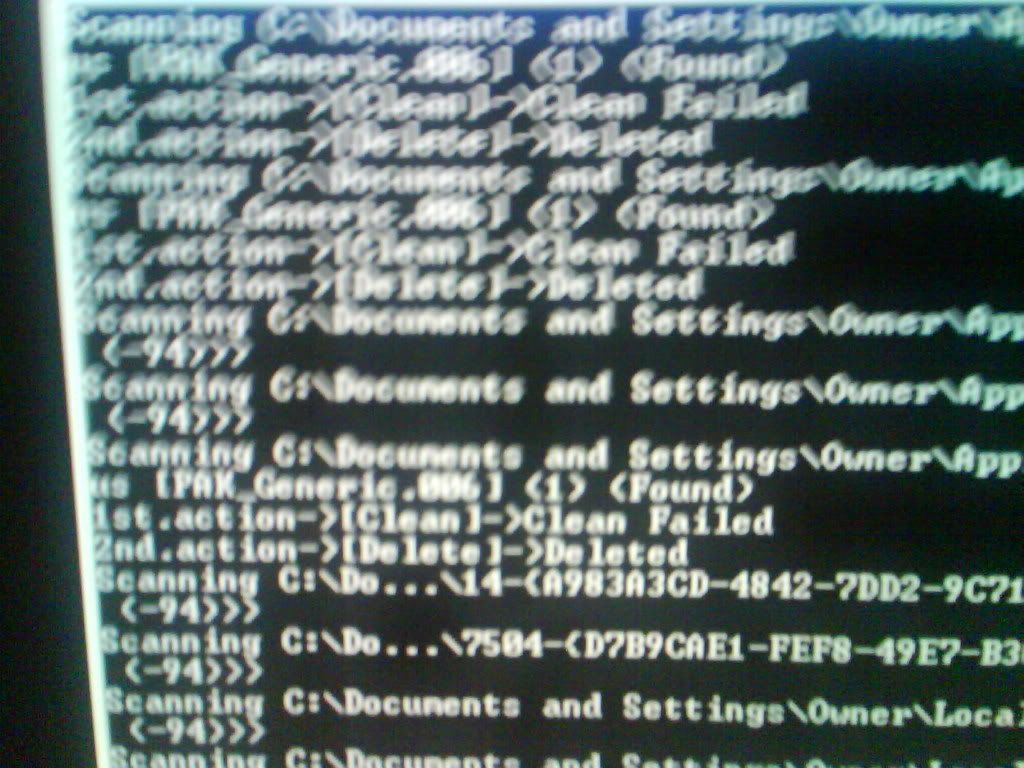
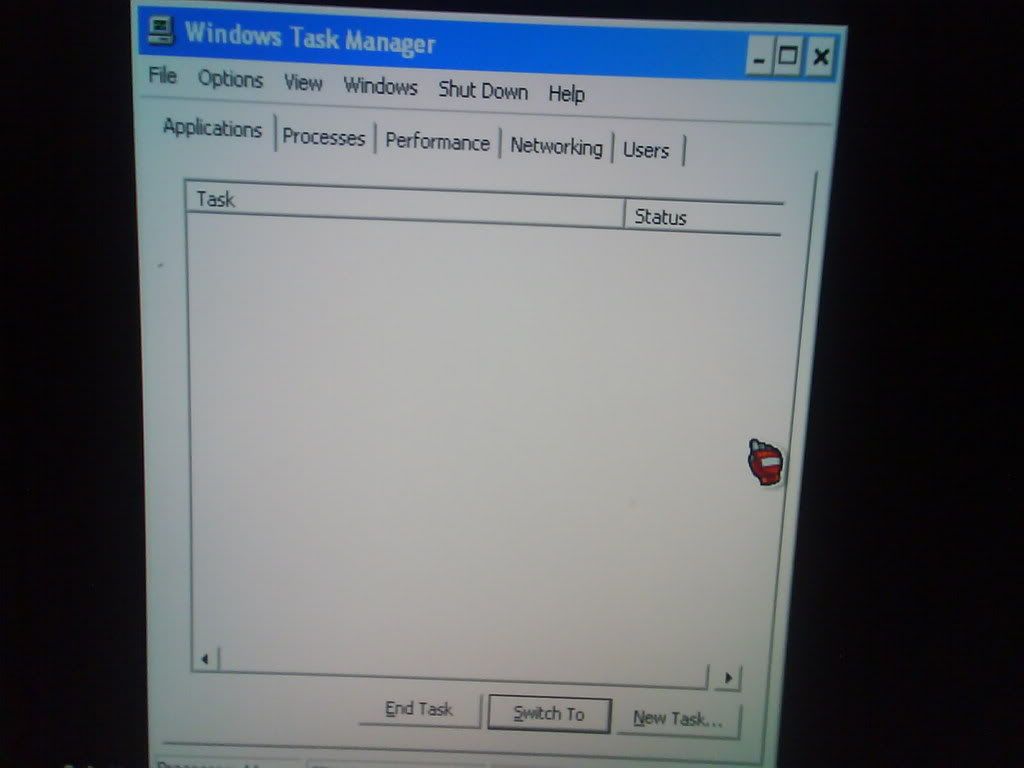
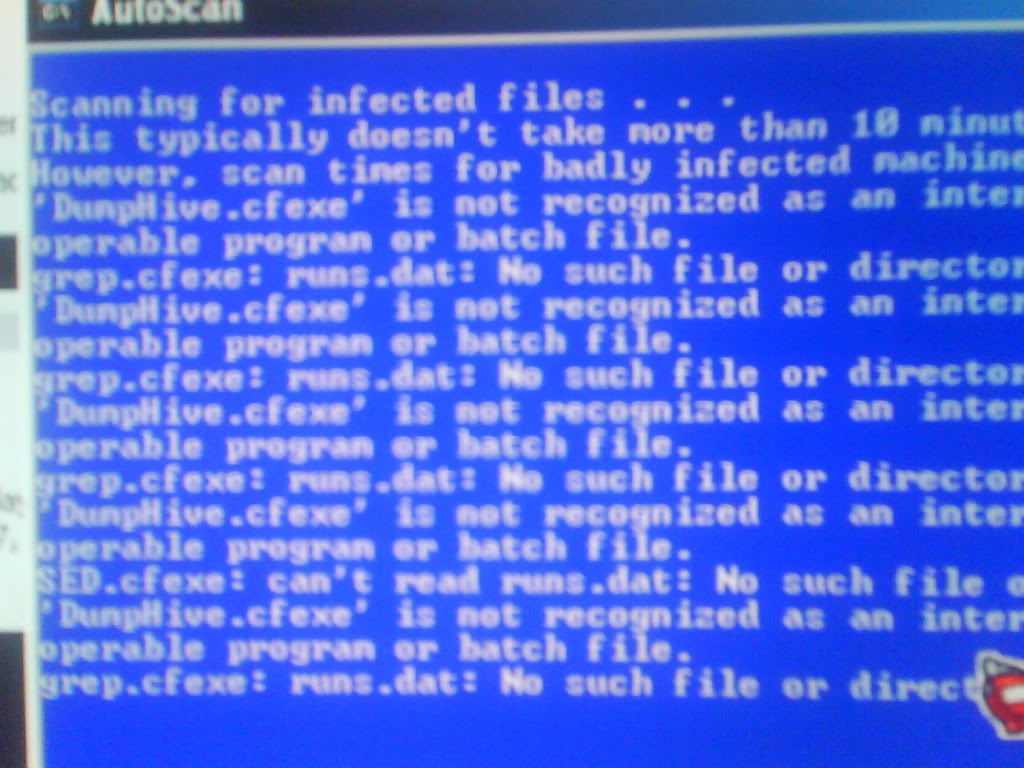
How lea? still gt hope?
oh yar, the explorer.exe onli fails in safemode, normal mode alot of errors
btw, tmr i take video of wad is shown in the booting, alot of crap man....
-
bro wat u did to your com sia
-
my friend's computer.....Originally posted by FBI:bro wat u did to your com sia
btw, u also from westwood one ar? which batch? -
As per phone and MSN conversation, please reformat.
Another way would be to send to my house. At least I'm sitting in front of it and know what to do. -
Aiyo.
Better to format and reinstall. -
hanor......based on my expirenceOriginally posted by ndmmxiaomayi:As per phone and MSN conversation, please reformat.
Another way would be to send to my house. At least I'm sitting in front of it and know what to do.
 i noe on phone veri hard to know wad is going on.....must see exactly wad is going on.....
 -
u wan to know where mayi mei mei stay right?Originally posted by MyPillowTalks:hanor......based on my expirence i noe on phone veri hard to know wad is going on.....must see exactly wad is going on..... -
AMK?Originally posted by mr_sotong:u wan to know where mayi mei mei stay right? -
Log of the computer: ty
Logfile of Trend Micro HijackThis v2.0.2
Scan saved at 14:50, on 2007-12-21
Platform: Windows XP SP2 (WinNT 5.01.2600)
MSIE: Internet Explorer v6.00 SP2 (6.00.2900.2180)
Boot mode: Normal
Running processes:
C:\WINDOWS\System32\smss.exe
C:\WINDOWS\system32\winlogon.exe
C:\WINDOWS\system32\services.exe
C:\WINDOWS\system32\lsass.exe
C:\WINDOWS\system32\Ati2evxx.exe
C:\WINDOWS\system32\svchost.exe
C:\WINDOWS\System32\svchost.exe
C:\WINDOWS\system32\svchost.exe
C:\WINDOWS\system32\Ati2evxx.exe
C:\WINDOWS\Explorer.EXE
C:\WINDOWS\system32\spoolsv.exe
C:\Program Files\Trend Micro\Internet Security\SfCtlCom.exe
C:\WINDOWS\System32\svchost.exe
C:\Program Files\Trend Micro\BM\TMBMSRV.exe
C:\Program Files\Trend Micro\Internet Security\UfSeAgnt.exe
C:\PROGRA~1\TRENDM~1\INTERN~2\TmPfw.exe
C:\Program Files\Trend Micro\Internet Security\TmProxy.exe
C:\Program Files\Trend Micro\TrendSecure\TSCFCommander.exe
C:\Program Files\Trend Micro\TrendSecure\TSCFPlatformCOMSvr.exe
C:\Program Files\Trend Micro\Internet Security\UfUpdUi.exe
C:\Program Files\ATI Technologies\ATI Control Panel\atiptaxx.exe
C:\Program Files\MSN Messenger\msnmsgr.exe
C:\Program Files\CyberLink DVD Solution\PowerDVD\PDVDServ.exe
C:\Program Files\HP\HP Software Update\HPWuSchd2.exe
C:\Program Files\Java\jre1.6.0_03\bin\jusched.exe
C:\Program Files\CyberLink DVD Solution\Power2Go\Power2GoExpress.exe
C:\Program Files\CyberLink DVD Solution\Multimedia Launcher\PowerBar.exe
C:\WINDOWS\system32\ctfmon.exe
C:\Program Files\Trend Micro\Internet Security\TMAS_OE\TMAS_OEMon.exe
C:\Program Files\HP\Digital Imaging\bin\hpqtra08.exe
C:\Program Files\MSN Messenger\usnsvc.exe
C:\Program Files\Internet Explorer\iexplore.exe
C:\Program Files\Trend Micro\TrendSecure\TransactionProtector\Dependent\HSChkProxyExe.exe
C:\WINDOWS\system32\kdfmgr.exe
C:\Program Files\Windows Live Toolbar\msn_sl.exe
C:\Program Files\Trend Micro\HijackThis\HijackThis.exe
R0 - HKCU\Software\Microsoft\Internet Explorer\Main,Start Page = http://www.asiaone.com/A1Home/A1Home.html
R0 - HKCU\Software\Microsoft\Internet Explorer\Main,Local Page =
R0 - HKLM\Software\Microsoft\Internet Explorer\Main,Local Page =
R3 - URLSearchHook: Yahoo! Toolbar - {EF99BD32-C1FB-11D2-892F-0090271D4F88} - (no file)
O3 - Toolbar: (no name) - {E0E899AB-F487-11D5-8D29-0050BA6940E3} - (no file)
O3 - Toolbar: Windows Live Toolbar - {BDAD1DAD-C946-4A17-ADC1-64B5B4FF55D0} - C:\Program Files\Windows Live Toolbar\msntb.dll
O3 - Toolbar: Transaction Protector - {E7620C98-FCCC-40E5-92EC-C7685D2E1E40} - C:\Program Files\Trend Micro\TrendSecure\TransactionProtector\TSToolbar.dll
O4 - HKLM\..\Run: [ATIPTA] C:\Program Files\ATI Technologies\ATI Control Panel\atiptaxx.exe
O4 - HKLM\..\Run: [RemoteControl] "C:\Program Files\CyberLink DVD Solution\PowerDVD\PDVDServ.exe"
O4 - HKLM\..\Run: [HP Software Update] "C:\Program Files\HP\HP Software Update\HPWuSchd2.exe"
O4 - HKLM\..\Run: [SunJavaUpdateSched] "C:\Program Files\Java\jre1.6.0_03\bin\jusched.exe"
O4 - HKLM\..\Run: [Adobe Reader Speed Launcher] "C:\Program Files\Adobe\Reader 8.0\Reader\Reader_sl.exe"
O4 - HKLM\..\Run: [StartCCC] "C:\Program Files\ATI Technologies\ATI.ACE\Core-Static\CLIStart.exe"
O4 - HKCU\..\Run: [Power2GoExpress] "C:\Program Files\CyberLink DVD Solution\Power2Go\Power2GoExpress.exe"
O4 - HKCU\..\Run: [PowerBar] "C:\Program Files\CyberLink DVD Solution\Multimedia Launcher\PowerBar.exe" /AtBootTime
O4 - HKCU\..\Run: [ctfmon.exe] C:\WINDOWS\system32\ctfmon.exe
O4 - HKCU\..\Run: [igndlm.exe] C:\Program Files\IGN\Download Manager\DLM.exe /windowsstart /startifwork
O4 - HKCU\..\Run: [OE] "C:\Program Files\Trend Micro\Internet Security\TMAS_OE\TMAS_OEMon.exe"
O4 - HKCU\..\Run: [uTorrent] "C:\Program Files\uTorrent\uTorrent.exe"
O4 - Global Startup: HP Digital Imaging Monitor.lnk = C:\Program Files\HP\Digital Imaging\bin\hpqtra08.exe
O4 - Global Startup: Microsoft Office.lnk = C:\Program Files\Microsoft Office\Office10\OSA.EXE
O8 - Extra context menu item: &Windows Live Search - res://C:\Program Files\Windows Live Toolbar\msntb.dll/search.htm
O8 - Extra context menu item: Add to Windows &Live Favorites - http://favorites.live.com/quickadd.aspx
O8 - Extra context menu item: E&xport to Microsoft Excel - res://C:\PROGRA~1\MICROS~2\Office10\EXCEL.EXE/3000
O8 - Extra context menu item: Open in new background tab - res://C:\Program Files\Windows Live Toolbar\Components\en-sg\msntabres.dll.mui/229?fb7eb348df41488994378e517d248520
O8 - Extra context menu item: Open in new foreground tab - res://C:\Program Files\Windows Live Toolbar\Components\en-sg\msntabres.dll.mui/230?fb7eb348df41488994378e517d248520
O9 - Extra button: (no name) - {08B0E5C0-4FCB-11CF-AAA5-00401C608501} - C:\Program Files\Java\jre1.6.0_03\bin\ssv.dll
O9 - Extra 'Tools' menuitem: Sun Java Console - {08B0E5C0-4FCB-11CF-AAA5-00401C608501} - C:\Program Files\Java\jre1.6.0_03\bin\ssv.dll
O9 - Extra button: Messenger - {FB5F1910-F110-11d2-BB9E-00C04F795683} - C:\Program Files\Messenger\msmsgs.exe
O9 - Extra 'Tools' menuitem: Windows Messenger - {FB5F1910-F110-11d2-BB9E-00C04F795683} - C:\Program Files\Messenger\msmsgs.exe
O12 - Plugin for .spop: C:\Program Files\Internet Explorer\Plugins\NPDocBox.dll
O16 - DPF: {30528230-99f7-4bb4-88d8-fa1d4f56a2ab} (YInstStarter Class) - C:\Program Files\Yahoo!\Common\yinsthelper.dll
O16 - DPF: {39B0684F-D7BF-4743-B050-FDC3F48F7E3B} (CDownloadCtrl Object) - http://www.fileplanet.com/fpdlmgr/cabs/FPDC_2.3.2.100.cab
O16 - DPF: {5F5F9FB8-878E-4455-95E0-F64B2314288A} (ijjiPlugin2 Class) - http://gamedownload.ijjimax.com/gamedownload/dist/hgstart/HGPlugin11USA.cab
O16 - DPF: {67DABFBF-D0AB-41FA-9C46-CC0F21721616} - http://download.divx.com/player/DivXBrowserPlugin.cab
O16 - DPF: {6E32070A-766D-4EE6-879C-DC1FA91D2FC3} (MUWebControl Class) - http://www.update.microsoft.com/microsoftupdate/v6/V5Controls/en/x86/client/muweb_site.cab?1183117331359
O16 - DPF: {CD995117-98E5-4169-9920-6C12D4C0B548} (HGPlugin9USA Class) - http://gamedownload.ijjimax.com/gamedownload/dist/hgstart/HGPlugin9USA.cab
O16 - DPF: {D0FD5E32-CABD-4A6E-BD0F-94ACE89CCE03} (HGPluginJP23 Class) - http://down.hangame.co.jp/jp/dist/hgstart/HGPluginJP23.cab
O23 - Service: Ares Chatroom server (AresChatServer) - Ares Development Group - C:\Program Files\Ares\chatServer.exe
O23 - Service: Ati HotKey Poller - ATI Technologies Inc. - C:\WINDOWS\system32\Ati2evxx.exe
O23 - Service: ATI Smart - Unknown owner - C:\WINDOWS\system32\ati2sgag.exe
O23 - Service: DomainService - Unknown owner - C:\WINDOWS\system32\wllerjnn.exe (file missing)
O23 - Service: InstallDriver Table Manager (IDriverT) - Macrovision Corporation - C:\Program Files\Common Files\InstallShield\Driver\11\Intel 32\IDriverT.exe
O23 - Service: Pml Driver HPZ12 - HP - C:\WINDOWS\system32\HPZipm12.exe
O23 - Service: Trend Micro Central Control Component (SfCtlCom) - Trend Micro Inc. - C:\Program Files\Trend Micro\Internet Security\SfCtlCom.exe
O23 - Service: Trend Micro Unauthorized Change Prevention Service (TMBMServer) - Trend Micro Inc. - C:\Program Files\Trend Micro\BM\TMBMSRV.exe
O23 - Service: Trend Micro Personal Firewall (TmPfw) - Trend Micro Inc. - C:\PROGRA~1\TRENDM~1\INTERN~2\TmPfw.exe
O23 - Service: Trend Micro Proxy Service (tmproxy) - Trend Micro Inc. - C:\Program Files\Trend Micro\Internet Security\TmProxy.exe
--
End of file - 7416 bytes -
Pop in a Live CD and see if theres anything salvageable.
-
the problem is my fren's sent his comp to reformat with a SP1 disc, genuine, but the dell recovery disc is for SP1, His computer is installed with SP2Originally posted by Shotgun:Pop in a Live CD and see if theres anything salvageable.
i dun have XP CD for recovery/repair -
If lots of tools can't run, I might have to take a hard look. Seriously can't figure out how so many things can fail.
- [*]Please download Deckard's System Scanner from Tech Support Forum and save it to your desktop. Note: You must be logged onto an account with administrator privileges.
[*]Save all your work and close all opened programs.
[*]Double click on dss.exe to run it. Follow the prompts.
[*]When the scan is complete, two log files will be produced. The first one, main.txt, will be maximized, the second one, extra.txt, will be minimized.
[*]Please post the contents of the 2 log files in your next reply.
Post the 2 logs in your next reply. One log per reply please. -
ok, later when my fren back i go see again
-
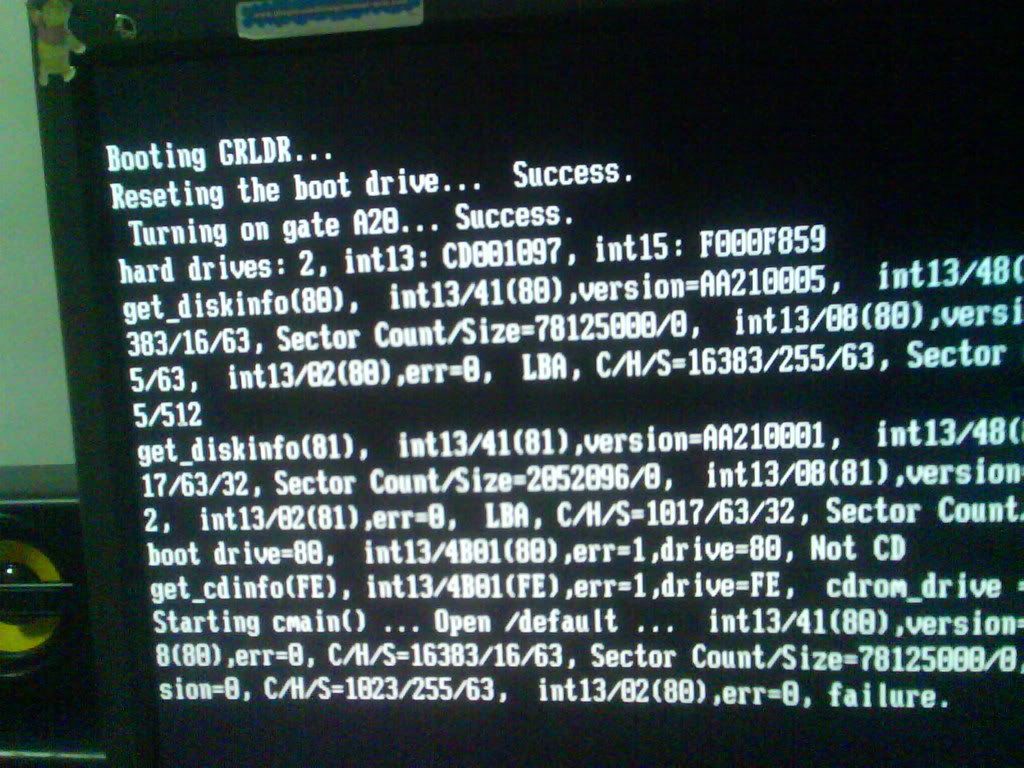
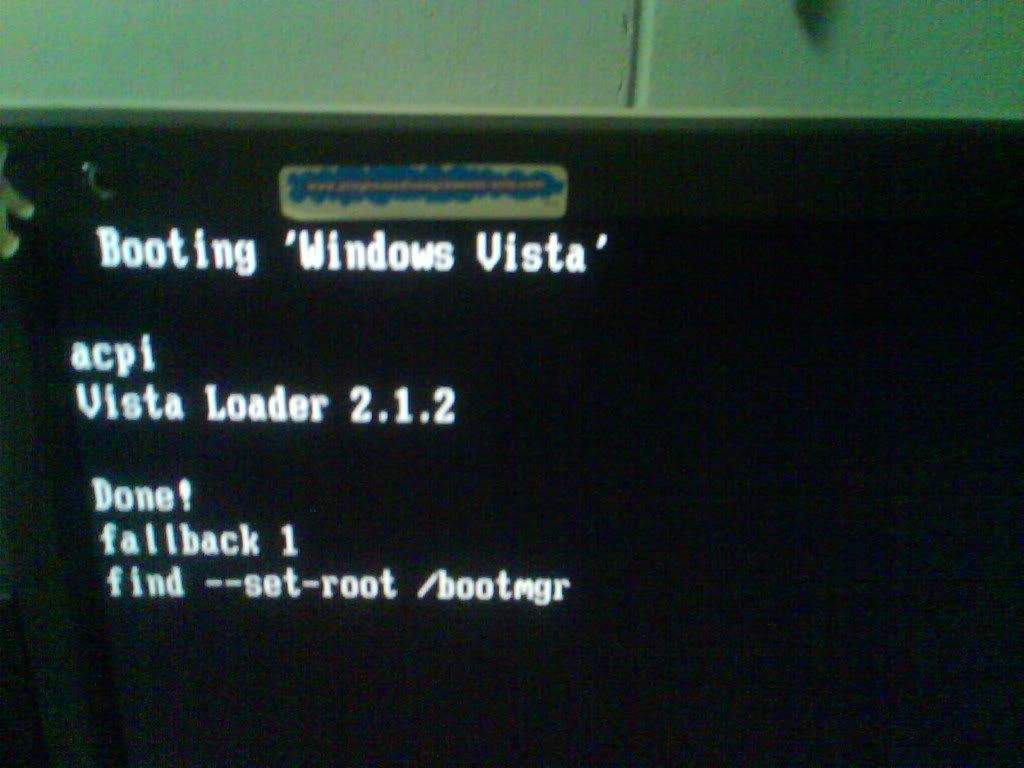
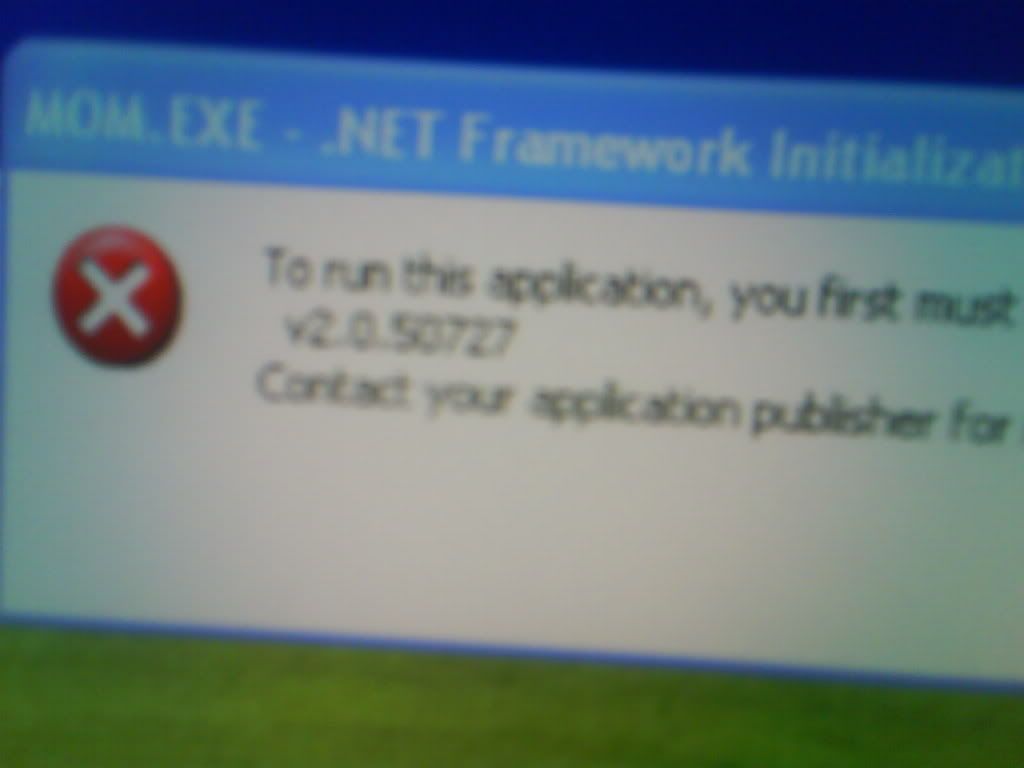
WHen start up will show this, the com is not on vista
-
PM kumlan one ah!

-
What the hell is the boot loader thingy?
How old is this Dell machine?
MOM.EXE - Did I read correctly? -
What PM?Originally posted by [DVD]:PM kumlan one ah! -
4 years i tink, my fren say reformatted 4 time, first time thE HD crashedOriginally posted by ndmmxiaomayi:What the hell is the boot loader thingy?
How old is this Dell machine?
MOM.EXE - Did I read correctly?
yar....MOM.exe
i dunno wad is the boot loader..... -
I have no idea what is this boot loader as well... did he tried to install Vista before?Originally posted by MyPillowTalks:4 years i tink, my fren say reformatted 4 time, first time thE HD crashed
yar....MOM.exe
i dunno wad is the boot loader..... -
nopeOriginally posted by ndmmxiaomayi:I have no idea what is this boot loader as well... did he tried to install Vista before? -
I can't figure out how a Vista boot loader got there. It certainly looks odd.
-
hanorOriginally posted by ndmmxiaomayi:I can't figure out how a Vista boot loader got there. It certainly looks odd. -
GRLDR is the Grub Loader from Linux
it is included in pirated Vista distributions to avoid activation -
So your friend did load a Vista before?
-
he told me he neber lea......so how now?Originally posted by ndmmxiaomayi:So your friend did load a Vista before?